
info@skybots.in
+91 8754531574
Location

Understand and gain experience the capabilities and features of the ArduPilot autopilot software system
Develop custom mission software that communicates with autopilot
Ability to read telemetry data and give commands to autopilot by communicating with ArduPilot using Python programming language
Creating Python scripts with Dronekit library that communicates with ArduPilot
Ability to develop custom Python scripts with PyMAVLink and understanding the MAVLink protocol
Learn how to use the MAVProxy Command Line Ground Control Station and what it does
Autopilot onboard software development using LUA programming language
| Introduction | 1.13 |
| Quickstart | 2.18 |
| Quickstart (Windows) | 43.07 |
| Setting up the build environment | 3.04 |
| Setting up the simulation software | 8.17 |
| Starting the simulation software individually | 4.55 |
| Creating simulation environment starter shell script | 7.15 |
| Introduction | 3:30 |
| Instatalling Instructions | 2:20 |
| Quickstart | 8:41 |
| Startup options | 10:31 |
| Telemetry forwarding | 4:40 |
| Creating MAVProxy shell scripts for automated proxy and forwarding services | 7:54 |
| Arming and disarming the vehicle | 4:18 |
| Mission editing | 8:57 |
| Geofencing | 10:56 |
| Rally point operations | 13:13 |
| Changing the flight mode of the vehicle | 7:49 |
| "command_int" command | 6:31 |
| System commands | 7:05 |
| Log management | 3:45 |
| Graphing live data from the vehicle | 11:31 |
| Horizon module | 19:01 |
| Link management | 8:31 |
| "long" command | 3:25 |
| Map module | 7:40 |
| "position" command | 5:26 |
| Polygon fences | 12:08 |
| Set servo | 10:27 |
| Set relay | 14:51 |
| Sensor reporting | 3:18 |
| Text-to-speech module | 2:34 |
| Time sync | 3:43 |
| Terrain data handling | 4:07 |
| Introduction | 2:04 |
| Installing instructions | 1:18 |
| Connecting to the vehicle | 6:48 |
| Getting the vehicle states | 8:15 |
| Setting the vehicle states | 6:25 |
| Creating vehicle state observers | 12:25 |
| Getting and setting vehicle parameters | 2:20 |
| Taking off and landing the vehicle | 5:00 |
| Flying the vehicle to a location | 8:15 |
| Dealing with the autonomous missions | 13:43 |
| Calibrating the vehicle | 3:11 |
| MAVLink messaging protocol basics | 11:01 |
| Introduction | 6:26 |
| Installing instructions | 1:39 |
| Connecting to the vehicle | 12:04 |
| Receiving messages from vehicle | 12:44 |
| Sending messages to vehicle | 12:29 |
| Sending message stream requests to vehicle | 17:27 |
| Getting and setting vehicle parameters | 18:47 |
| Sending message requests to vehicle | 14:35 |
| Arming and disarming the vehicle | 43:15 |
| Changing the flight mode of the vehicle | 23:59 |
| Taking off and landing the vehicle | 20:35 |
| Flying the vehicle to a location | 31:43 |
| Change current mission in auto flight mode | 17:20 |
| Set servo | 14:14 |
| Set relay | 17:09 |
| Request and receive auto mode flight plan from vehicle | 25:59 |
| Create and send auto mode flight plan to vehicle | 34:51 |
| Sending partial mission item list to vehicle | 13:01 |
| Clear mission item list on vehicle | 6:16 |
| Request and receive fence from vehicle | 23:40 |
| Create and send fence to vehicle | 42:39 |
| Enable and disable fence | 13:81 |
| Request and receive rally points from vehicle | 21:31 |
| Create and send rally points to vehicle | 12:32 |
| RC Overrides | 35:50 |
| Request default message streams | 9:33 |
| Home distance | 15:44 |
| Set flight speed | 12:01 |
| Set yaw | 16:55 |
| Pause/resume an autonomous flight | 6:37 |
| Reading RC inputs and servo outputs | 21:45 |
| Terrain checking | 13:13 |
| Getting and setting the home location of the vehicle | 18:13 |
| Send message from companion computer to GCS | 20:20 |
| Logging data to on-board data flash logs | 20:13 |
| Interprocess communication with MAVLink | 30:28 |
| Introduction | 8:09 |
| Sample script | 11:10 |
| Arming and disarming the vehicle | 12:55 |
| Reading attitude of the vehicle | 10:51 |
| Reading location of the vehicle | 13:45 |
| Getting and setting vehicle flight mode | 11:04 |
| Take off and land the vehicle | 34:42 |
| Flying to a location | 12:05 |
| Location object examples | 35:42 |
| Multi location mission | 1:26:42 |
| Getting and setting vehicle parameters | 20:50 |
| Create and use a parameter | 14:46 |
| File read and write operations | 29:04 |
| Logging system | 17:33 |
| Read auxiliary channel switch | 16:53 |
| Multi location mission continued | 25:35 |
| Reading RC inputs | 11:46 |
| Set servo and relay | 26:43 |
| Protected function calls | 9:24 |
| Get and set home location | 15:38 |
| Read battery level | 10:06 |
| Get time | 27:49 |
| Get firmware version | 24:45 |
Disclaimer
Fully autonomous unmanned systems are important technological and engineering wonders of today's world. All autonomous unmanned systems need an autopilot that controls the behaviors and working mechanism of the unmanned platform and controls the platform by semi-autonomous or fully autonomous.
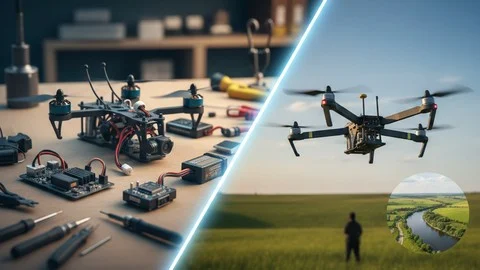
The ArduPilot project provides an advanced, full-featured, and reliable open source autopilot software system. The Ardupilot software system is capable of controlling almost any vehicle system imaginable: conventional and VTOL airplanes, gliders, multi-rotors, helicopters, sailboats, powered boats, submarines, ground vehicles, and even balance robots. The supported vehicle types frequently expand as use cases emerge for new and novel platforms.
This course covers some of the most important aspects of software development for controlling and monitoring Ardupilot autopilot software system-powered unmanned autonomous systems.
In this course, you are going to learn the following:
Ability to setup and run Ardupilot autopilot simulation environment.
Developing Python programming language scripts that communicate with Ardupilot software system using Dronekit library.
Understanding MAVLink messages and creating custom scripts using Python programming language and PyMAVLink library.
Learn how to use the MAVProxy Command Line Ground Control Station and what it does.
Autopilot onboard software development using LUA programming language.
Custom embedded software development with Ardupilot autopilot software system.
In this course, there are also supplementary sample projects, assignments, and resources to gain hands-on experience to work with the Ardupilot autopilot software system.

In 2017, he graduated from Anadolu University Electrical and Electronics Engineering, and in 2020, graduated with an MS degree in Telecommunications at the Department of Electrical and Electronics Engineering in Eskisehir Technical University. He is currently pursuing his Ph.D. in Telecommunications. He is currently working on Unmanned Aerial Vehicles, Swarm Robotics, and the Internet of Things.





Incorrect OTP
Incorrect OTP
Designed and Developed by B2L Mobitech Pvt. Ltd.
Incorrect OTP
Designed and Developed by B2L Mobitech Pvt. Ltd.